
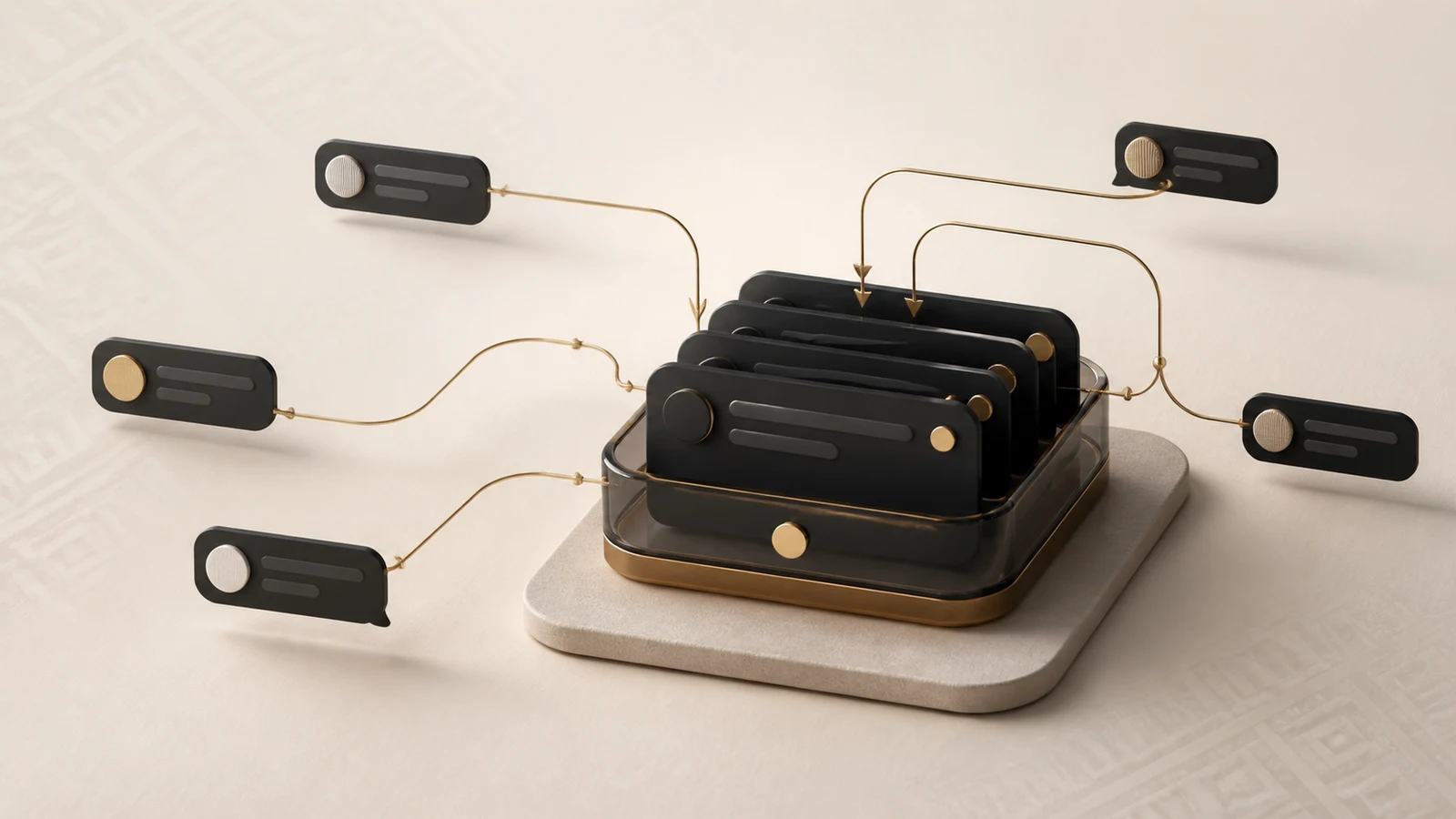
Omnichannel support is an operating model in which conversations from WhatsApp, Telegram, Instagram, Facebook, email, and website chat enter one shared workspace. The team can see the queue, assign an owner, preserve context, and measure response quality. Customers keep using the channel they prefer, while the company stops depending on personal phones and individual employees' memory.
In short: omnichannel support starts with shared ownership of every conversation, not with the number of connected messengers.
The essentials in two minutes
- Messages from different channels need to enter one managed queue, not merely open on the same computer.
- Every conversation needs a clear owner, status, and next action.
- Contact history helps the team continue a conversation, but identities across channels must be verified—the system should not guess who a customer is.
- Before launch, define the access and operating rules for WhatsApp, Telegram, Instagram, email, and the website. Each channel has its own constraints.
- Measure first response time, resolution time, the unhandled queue, and customer feedback.
What omnichannel support means in practice
Consider a service company in Bishkek. A customer sees an Instagram post and asks a question in Direct. Later, they send a document photo through WhatsApp and use Telegram to check the status. If each channel lives on a different manager's phone, the company receives three fragments of one story. Employees repeat questions, debate who should reply, or overlook the message entirely.
In an omnichannel model, messages remain in their native channels but follow shared operating rules. The agent sees the conversation, contact, owner, and internal context. A manager sees the queue and can identify where a delay appeared. If a contact uses several channels, their histories can be connected after the identifying data has been verified rather than through an automatic guess.
This is the difference between omnichannel and basic multichannel support. Connecting five messengers does not by itself create a support operation. A shared queue, ownership, history, and a measurable process do.
Why customer conversations get lost
The problem rarely looks like one major outage. It is usually a chain of small breaks: a notification stays on someone else's phone, a shift ends without a handover, a manager replies from a personal account, or the customer repeats a question in another channel and the team treats it as a new case.
Customers should not have to understand the company's internal structure. If they cannot tell whether a message was received or when someone will respond, they may repeat the request, post a negative comment, or approach a competitor. Speed matters, but predictability matters too: acknowledgement, ownership, and visible progress toward a resolution.
What Joop.kg brings together
The current Joop.kg release can organize website chat, email, WhatsApp Business Platform, Telegram, Facebook, and Instagram conversations. The exact set of connections depends on the selected plan, the company's access rights, and the external platform's rules.
Inside one workspace, the team gets:
- a conversation queue with statuses, priority, and search;
- agent and team assignment so ownership is visible;
- private notes for handing over context without sending it to the customer;
- labels and filters for topics such as billing, delivery, urgent, or needs-engineering;
- saved replies, macros, and automations for repeatable work;
- a contact profile and conversation history inside the company's workspace;
- reports on conversation volume, first response, resolution time, and team activity;
- customer satisfaction surveys where the channel and workflow support sending them appropriately.
Joop.kg does not bypass channel policies. Connecting WhatsApp and Instagram, for example, requires the appropriate business access, and outbound messaging may be governed by platform policies. These conditions are checked before launch rather than after promises have been made to customers.
How to launch the first workflow in 14 days
Fourteen days is a realistic timeframe for a controlled pilot with priority channels. It is not a promise to rebuild every process and integration in the company overnight.
Days 1–2: map the conversations
List where customers write today, who controls each account, and how many conversations remain unanswered. Separate support from sales, internal chats, and bulk campaigns.
Days 3–4: channels and access
Select one to three priority channels. Prepare company-owned access, appoint an integration owner, and decide who may see each inbox. Do not give the whole team passwords to social accounts.
Days 5–7: queue and ownership
Create teams, assignment rules, and simple statuses. Document who accepts a new conversation, when a manager joins, and what counts as a resolved request.
Days 8–10: repeatable answers
Prepare concise answers to frequent questions, a small label set, and a few safe automations. Automation should reduce routine work without hiding a conversation or presenting unverified information.
Days 11–12: a real-conversation pilot
Start with a small group of agents. Test message and attachment delivery, notifications, shift handovers, and what happens when a customer returns to a resolved conversation.
Days 13–14: review and decide
Compare the baseline with the pilot, collect agent feedback, correct routing, and only then expand. The complete rollout outline is available on the Implementation page.
Metrics worth tracking
- First response time: the time between the customer's first message and a meaningful team response.
- Resolution time: the time from the request to an outcome, not merely to the agent's first message.
- Unhandled queue: the number of open and unassigned conversations at the start and end of a shift.
- Repeat contacts: why a customer needs to return with the same issue.
- CSAT: how customers rate completed conversations when the channel and sample support responsible feedback collection.
Do not begin with dozens of dashboards. Four or five measures are enough for the first stage when every measure has an owner and a clear management action.
When a shared inbox is not enough
A platform cannot repair a process when nobody owns the queue, the team does not understand the product, or escalation rules are missing. It also does not automatically replace a CRM, telephony, order management, or monitoring system. Those systems can exchange data through APIs and webhooks after the integration has been designed.
Sensitive data additionally requires an access policy, retention rules, backups, and staff training. Our baseline approach is described on the Security page.
Readiness checklist
- Priority channels and company owners for each credential are identified.
- A queue owner and shift responsibilities are assigned.
- Assignment, handover, escalation, and resolution rules are documented.
- Core labels and reviewed response templates are ready.
- Starting metrics and a comparison period are selected.
- A controlled pilot has been completed with real conversations.
- The team knows where to report an integration error or a suspected missing message.
Frequently asked questions
Should we connect every channel at once?
No. Begin with one to three channels that carry most of the workload, stabilize the queue, and then expand. The Joop.kg Trial is designed to test one inbox with real conversations.
Do agents need our WhatsApp and Instagram passwords?
After a correct integration, agents work in the support interface and receive access only to the inboxes assigned to them. Administrative access to the business accounts remains with authorized company employees.
Does Joop.kg replace a CRM?
Joop.kg stores contacts and support history, but it does not have to replace your CRM, order system, or ERP. The boundary depends on the company's process, and systems can be connected through a designed integration where needed.
Can we test it for free?
Yes. The current Trial lasts 14 days and includes one inbox. Current limits and prices always come from the plan catalog on the Joop.kg home page.
Sources and methodology
The Joop.kg editorial team prepared this guide on August 30, 2026. The described capabilities were verified in the live Joop.kg product and checked against the current product catalog. Connection requirements for individual channels depend on their owners' policies and are confirmed before implementation. Commercial limits are checked against the current plans before publication.